

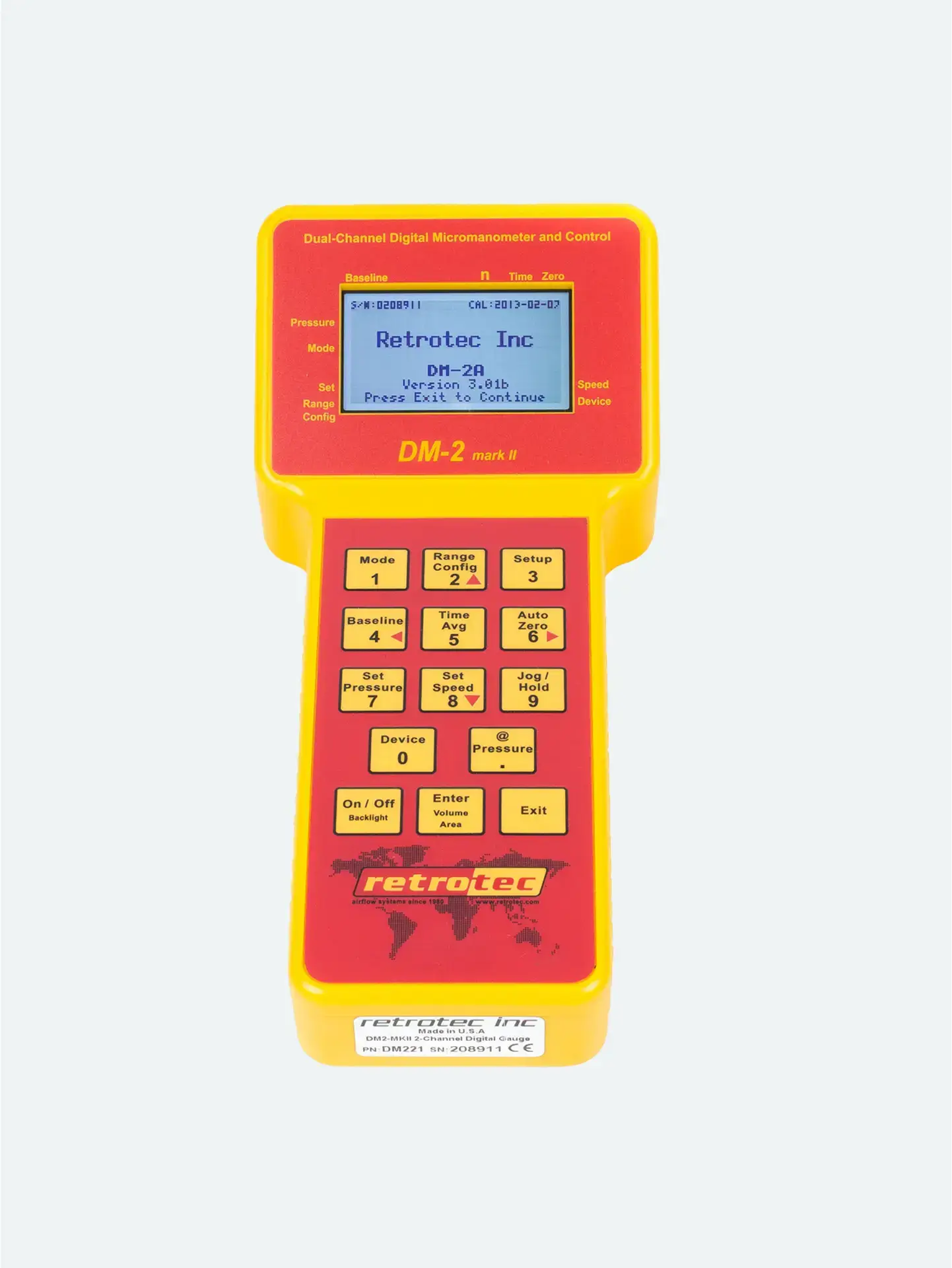
Step 1: Choose the Right Device & Range
Press Device to select the gauge’s connected equipment (e.g., Retrotec DU200 or other DucTester).
Press Range Config to match the actual range ring or plate installed on the fan (e.g., Mid, Low).
The gauge uses this selection to compute airflow accurately.
Mismatch between physical equipment and gauge settings can lead to flow miscalculations or “TOO LOW” readings. Always double-check before starting.
Step 2: Select the Desired Result Mode
Press Mode to cycle through enabled result options—Flow (CFM), Flow/Area, ACH, EqLA, etc.
To add or remove modes, press Setup, go to Mode Setup, use arrows to enable/disable modes and select units. Exit to save.
This helps simplify the interface by showing only relevant options.
Step 3: Set Time Averaging & Auto-Zero
Press Time Avg to choose an averaging time (1s–2min).
Longer averaging (e.g. 10–20s) helps stabilize readings in windy conditions—wait twice the averaging time before recording.
Press Auto Zero to correct drift every 8 seconds. Useful in blower-door tests; be cautious if recording rapidly.
Step 4: Enable @Pressure (Optional)
If you’re using Set Speed or Set Pressure mode:
Press Set Pressure and enter a target (e.g., 25 Pa) to automate fan speed.
Tap @ Pressure to extrapolate results on Channel B at exactly the set pressure—useful when true pressure stabilizes slightly below target.
The display will change to something like “CFM @25.0 Pa”.
Extrapolation is most accurate within ~80% of the target.
Final Setup Checklist
Before you test, ensure:
Device + Range settings match your hardware
Desired outputs—only those needed—are enabled via Mode Setup
Time averaging matches field conditions
Auto zero is on for drift correction
@Pressure enabled only when using Set Speed or Set Pressure
Why Proper Setup Matters
Correct mode settings ensure:
Accurate data: Flow and leakage numbers are based on the right device and range
Consistent readings: Averaging filters out noise, Auto‑Zero maintains accuracy
Compliance: Results (“CFM @25 Pa”, EqLA, ACH) reflect industry standards
Simplified workflow: Only relevant modes are visible, avoiding confusion





