

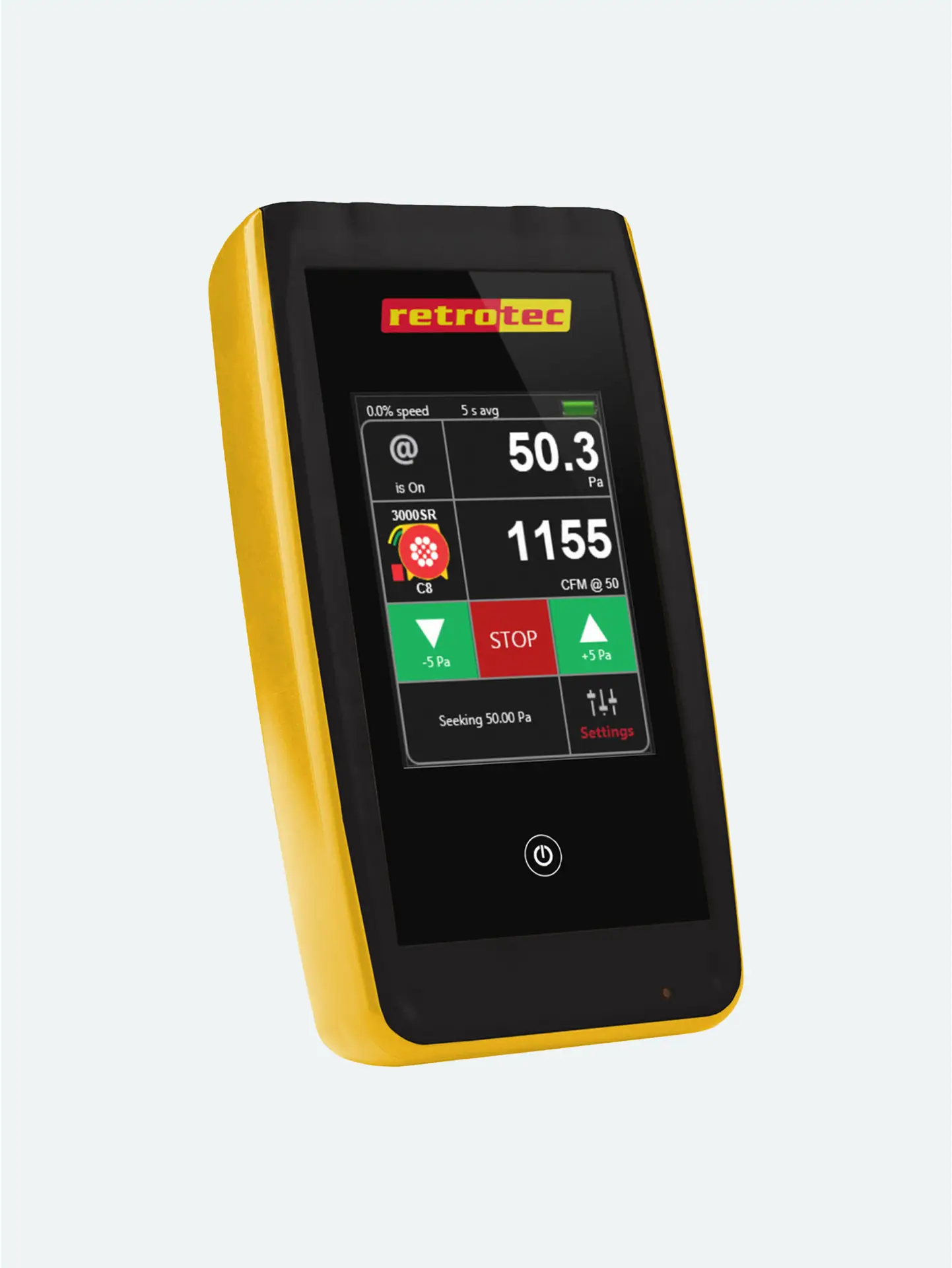
- DM32 interface and operation
– Running a Retrotec or MN fan
– Using Virtual Gauge, GaugeRemote, and Data Logger
– Calculating results
Running a Retrotec or MN Fan
Physical Controls: The touchscreen features direct access to Set Pressure or Set Speed modes, enabling smooth fan regulation via attached umbilical or digital control.
Matching Hardware: Select the correct Device (Retrotec or Minnesota blower) and Range Plate (Low/Mid/Open) from the menu so pressure readings can be translated into accurate airflow estimates.
InSitu control: Use the on-screen controls to dynamically adjust fan operation during test runs.
Using VirtualGauge, GaugeRemote, and DataLogger
VirtualGauge: Projects the DM‑32 display onto a PC or tablet using USB/Ethernet—ideal when you need full visibility without crowding around the device.
GaugeRemote: Offers a simplified interface for smartphones/tablets, letting crews or trainees view real-time pressures and results remotely.
DataLogger: Streams real-time pressure and flow data into CSV formats for logging, analysis, or later processing in FanTestic software or Excel.
Why This Matters
@Pressure Mode: Tap to extrapolate actual flow or leakage readings at your set-point (like CFM@25 Pa), even if the pressure doesn’t hold exactly steady.
Selectable Display Modes: Toggle between flow, EqLA (equivalent leakage area), CFM/area, or ACH, depending on reporting needs.
Time Averaging: Choose between 1–30 seconds to smooth fluctuations in real-time readings.
Auto Zeroing: Maintains accuracy by resetting zero baseline periodically throughout testing.
Calculating Results & Key Features
Efficiency: Quick, dynamic control and reading setup reduce on-site testing errors and speed up diagnostics.
Collaboration: Wireless or remote viewing lets entire crews or trainers follow along without clutter.
Robust Data: Options for CSV logging, extrapolation, and different reporting modes align with professional standards and labels.





